
Features
Everything it does, written out.
No marketing words you have to decode. This is the whole product, grouped the way you would actually use it, from putting a trip online to knowing whether it made money.
Almost all of this is on the free plan.
Trip pages
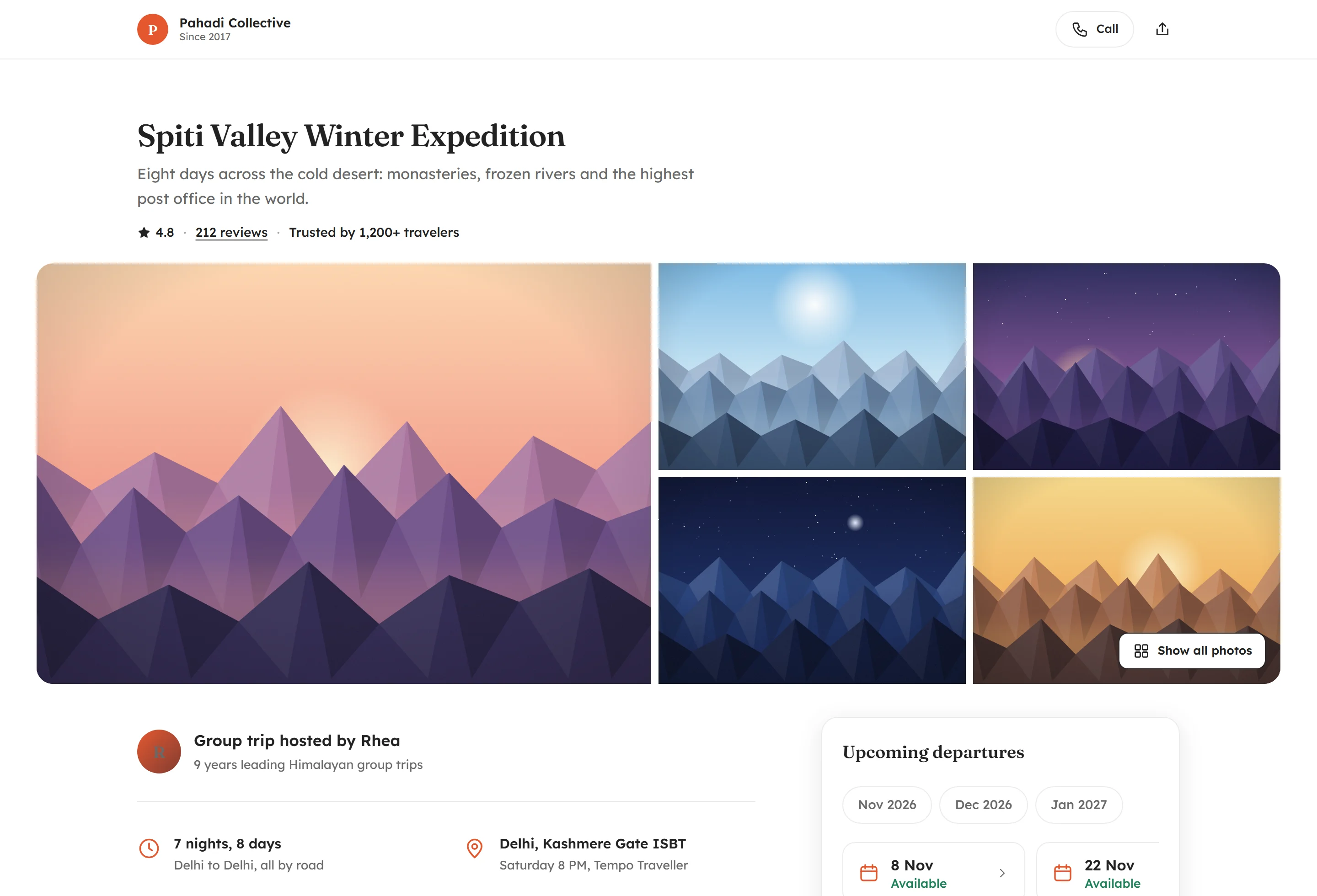
The page a traveller decides on
One page that answers everything someone asks before paying you, so they stop asking you.
- Day-by-day itinerary, with the drive, the stay and the meals on each day
- Photos of the actual rooms, camps and homestays
- What is included and what is not
- Cancellation terms, written out
- Packing list, FAQs and things to know before coming
- Who is hosting, with a phone number that works
- Reviews from the people who went last time
- Attractions and highlights, with photos
- Who the trip suits, and who it honestly does not
- Meeting point, with a map and a time
- How to get there — trains, flights and road from the traveller's own city
Blocks you leave empty simply do not appear. There are no "coming soon" sections.
Getting set up
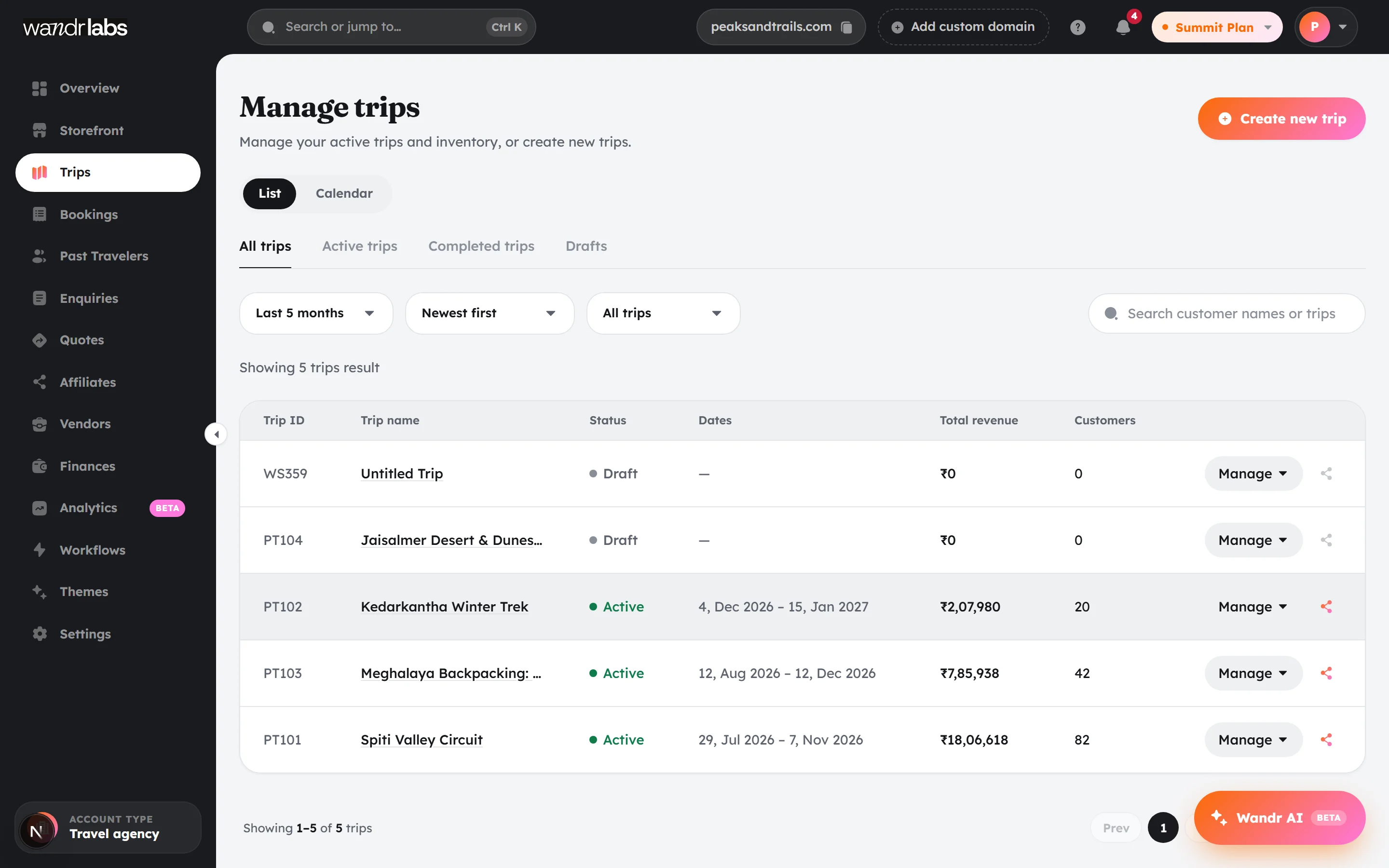
Start from the PDF you already have
The slowest part of any new tool is typing everything in again. You do not have to.
- Upload your existing itinerary PDF and the page fills itself in
- Days, inclusions, exclusions, cancellation windows, packing list and FAQs are read out of it
- You check it, add photos and prices, and publish
- Or build from scratch in the Trip Builder if you prefer
- Save as a draft and come back to it
- We will build your first page with you, free, if you would rather not
Dates and seats
The thing people actually book
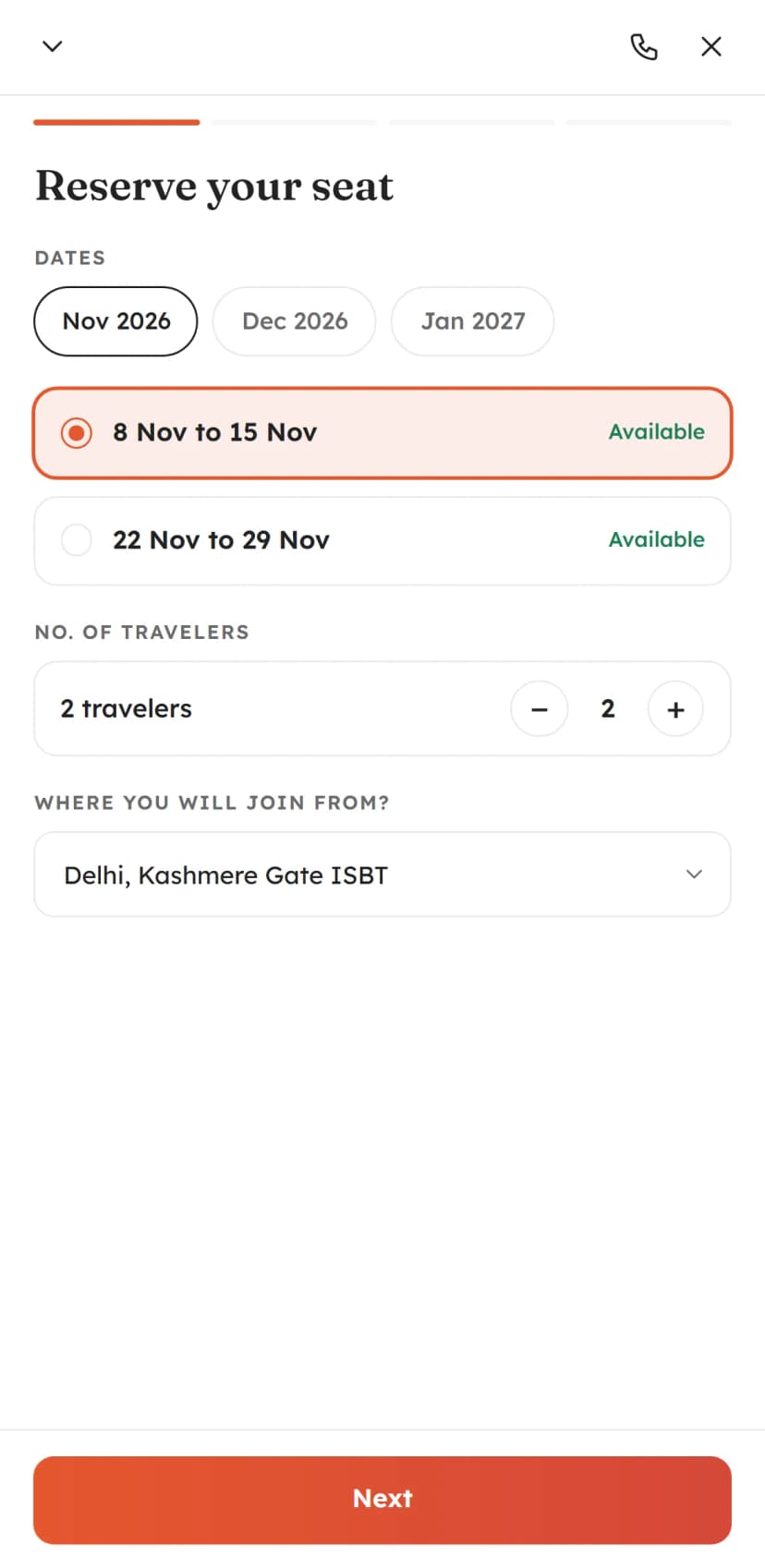
A trip is the story. A date is what gets bought — and every date has its own price, seats and costs.
- Unlimited dates on every trip, written once
- Seats, price and a private buffer on each date
- Timed slots for activities, several a day
- Weekly schedules that create their own sessions
- The last seat can never be sold to two people
- Unpaid holds release themselves and the seat goes back on sale
- Sold-out dates stop selling on their own
- Price checks that stop a booking going through at the wrong amount
Getting paid
Money, straight to your bank
The payment splits at checkout. Your share settles into your own account. We never hold it.
- UPI, cards and netbanking
- Take a deposit now and the balance later
- Or take the full amount up front, which is the default for activities
- Settles to your own bank account the next working day
- Coupons, and private links at a different price
- Quotations for custom and corporate groups, shared on a link
- Refunds and cancellations, with the seat going back on sale
- A traveller fee shown to them before they pay — your price stays your price
Running the trip
Everything in one place on the morning
The unglamorous half. This is what you are currently doing across a spreadsheet, a notebook and six chat threads.
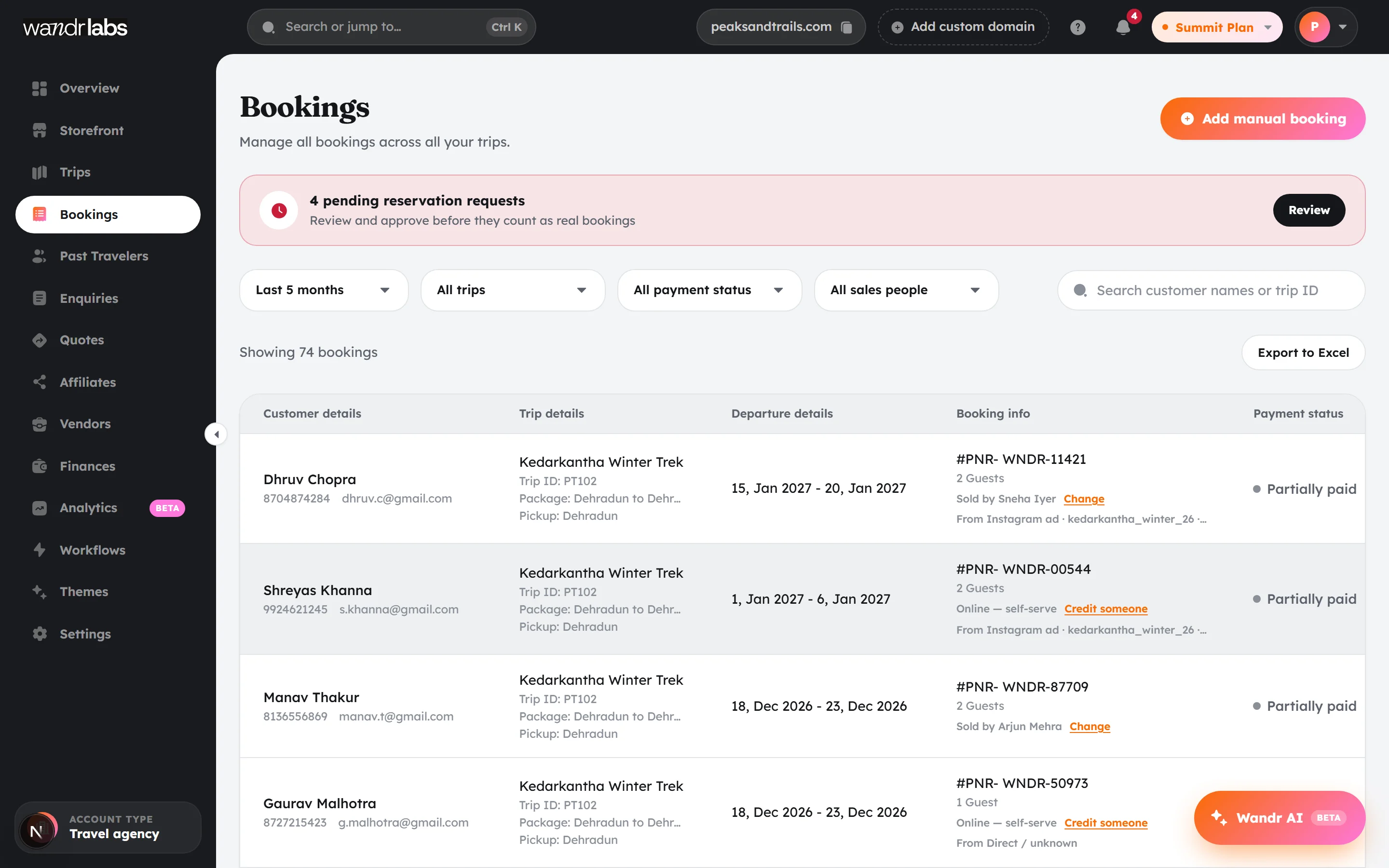
- Every booking across every trip, in one list
- Add your WhatsApp and cash bookings yourself
- Traveller details and ID documents, collected and stored
- Waivers and guardian consent for activities
- A departure sheet your trip lead can carry
- A session sheet for activity days
- Export anything to Excel
- Team logins for operations, sales and trip leads
- Who sold what, on every booking
- Pending reservation requests you approve or decline
After they pay
SummitThe follow-up, handled
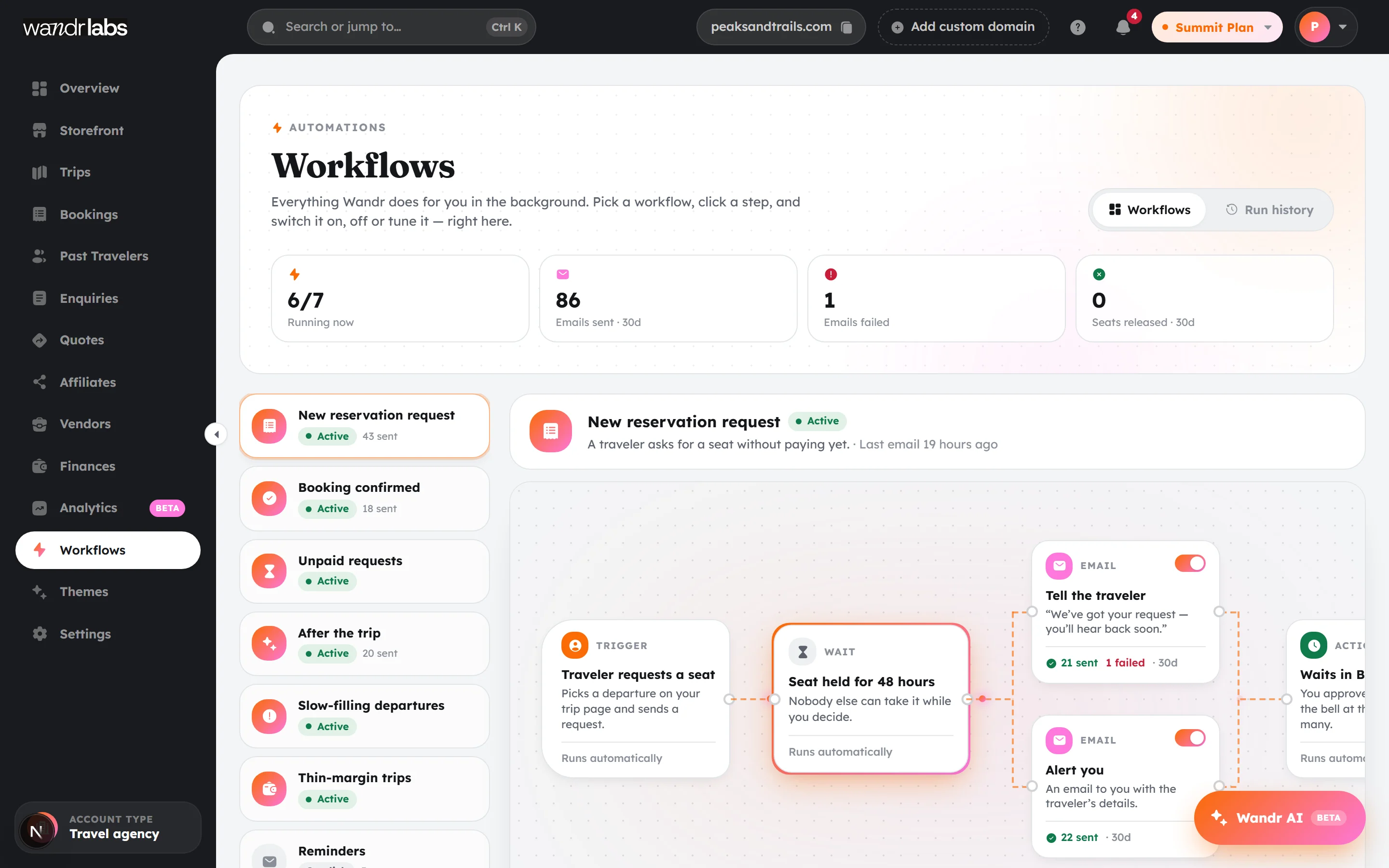
Five messages per traveller, times forty travellers, times every date you run. All of it under your name.
- Confirmation and receipt the moment they pay
- Document reminders, chased until the IDs arrive
- Balance reminders with the exact amount still owed
- Final details the day before — meeting point, time, what to bring
- A review request when they get home
- A loyalty coupon for their next trip
- A traveller portal where they can check all of it themselves
- Workflows you can change yourself, if the defaults do not suit you
Costs and profit
SummitWhether the trip actually made money
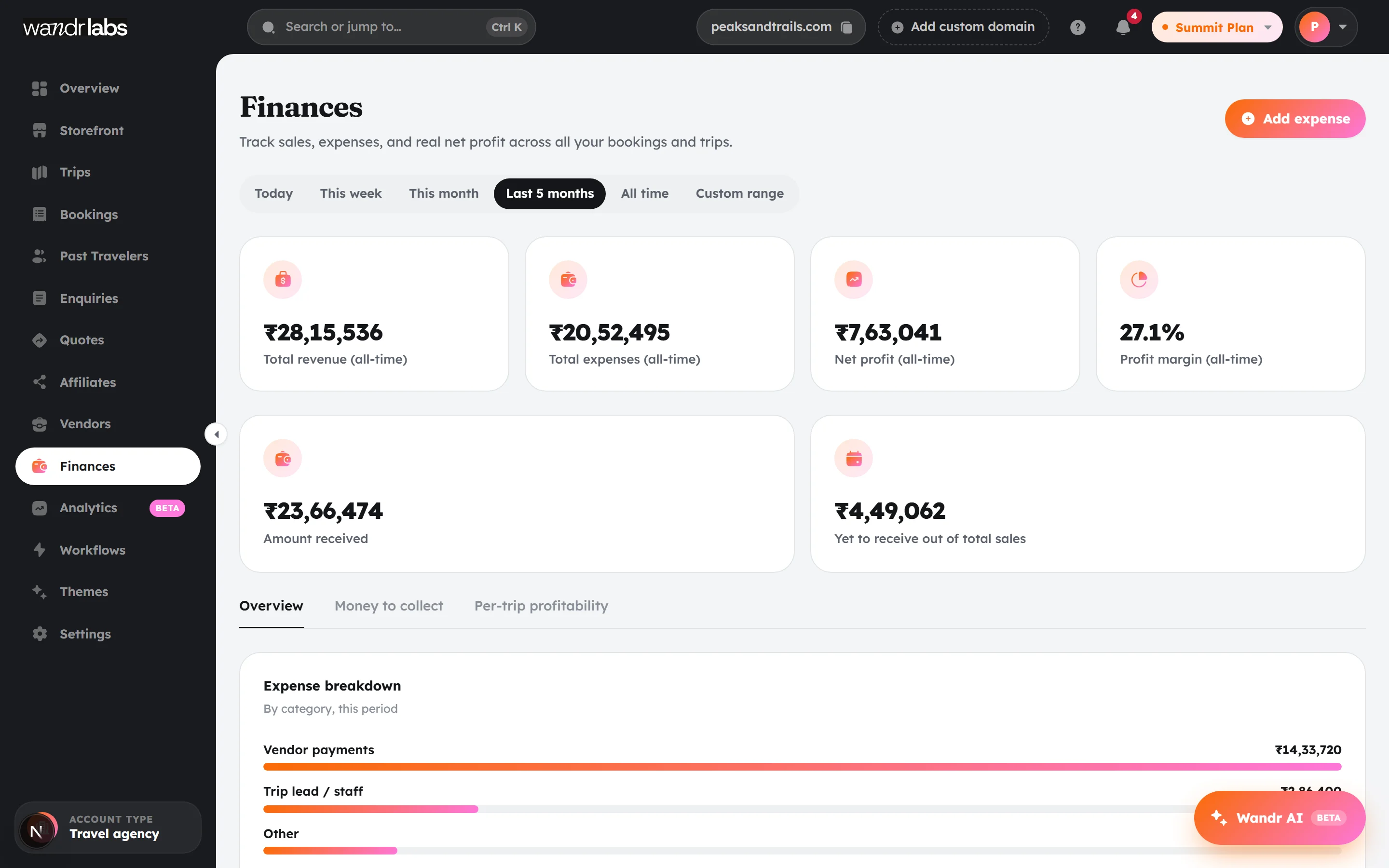
The question almost nobody running trips can answer quickly. Here it is a number on a screen.
- Vendors in nine categories — hotels, transport, guides, food, permits, flights and more
- Costed per person, per person per night, or per room per night
- What you owe each vendor, and what is overdue
- Expenses recorded against the right date
- Profit per departure, not a guess at the end of the season
- A warning when a date is not filling fast enough to run
- A warning when costs have quietly eaten the margin
Getting more bookings
SummitKnowing what actually worked
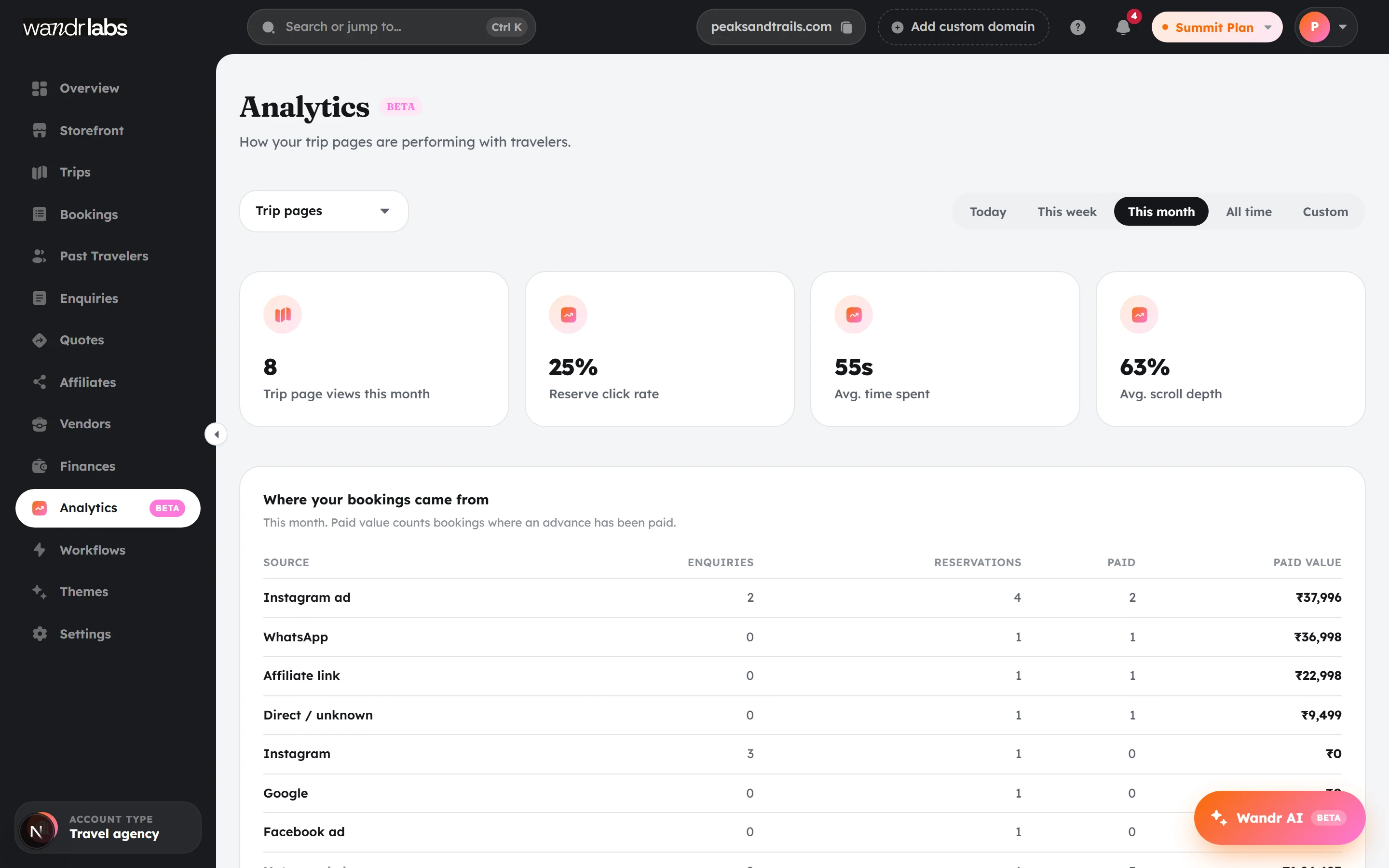
Stop guessing which post sold the trip.
- Every booking records where it came from
- Down to the individual Instagram ad and campaign name
- An enquiry pipeline with six stages, and overdue views
- Quotes that become bookings on one click
- Affiliate links and commission tracking
- Your past travellers, in one list you own
- Imported customers, so you can bring the list you already have
- Analytics on trips, dates and conversion
Your brand
SummitIt should not look like our software
Travellers should never learn our name. They are buying from you.
- Your own custom domain
- Your logo, your colours, your photos
- Five ready-made looks to pick from, if you want one
- A storefront page with all your trips on it
- Share images generated automatically for every trip
- Emails sent under your name, not ours
- Google reviews and your licence details on your storefront
- Old links keep working if you rename anything

Small things
The bits people mention later
None of these will make you sign up. Several of them are why people stay.
- Ask your own data a question in plain words
- Jump to any trip, booking or screen with one keyboard shortcut
- Seventy-one guides built into the dashboard
- Pre-filled WhatsApp messages to travellers
- Traveller sign-in by phone number and booking code
- Pagination and search everywhere, so big lists stay usable
- An instant demo sandbox you can hand to a colleague

Ready to sell your next trip?
Create your free account, add your first trip, and be live this afternoon.
No card needed. We never take a cut of your trip price.
Free to start, no card
Or we'll build your first page